Why Your Coaching YouTube Videos Get No Views (and the Fix)
Most coaches post content hoping to sign new clients. The bigger problem is that most of that content is never seen by the people they want as clients. If your coaching YouTube videos get no views, it usually isn't the coaching. It's a few fixable things around the video. In this post I'm going to walk through a real channel review I did for a coach, what was broken, and the exact changes I'd make so the right people start watching.
The channel I reviewed
A relationship coach asked me for honest feedback on his YouTube channel. He had put out hundreds of videos. Props to him, that's real consistency. But most of them got almost no views, and barely any were getting clicks. Obviously something was broken.
Here's what I told him, in the order I'd fix it.
Want to go even deeper? Watch the full video.
Fix 1: Get the click with your thumbnail
The very first step is getting the click. If nobody clicks, nothing else matters.
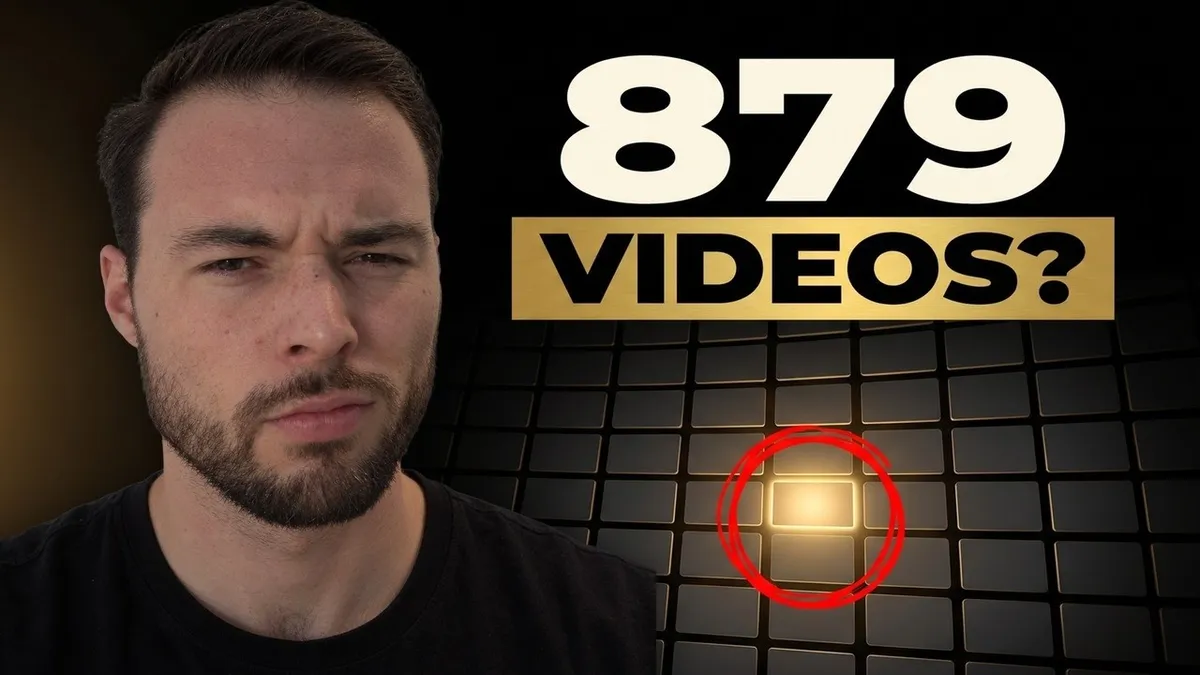
His thumbnails looked professional, probably made with AI. The problem was there was so much text on them. Think about how people actually use YouTube. You open the home page and you see a wall of videos. You're scrolling. Something has to make you stop and go, "Oh, what is that?"
If your thumbnail doesn't stand out, or it has too much text to read at a glance, people scroll right past. One clear idea per thumbnail. Something that makes them curious.
Fix 2: Make the title finish the job
The thumbnail gets the stop. Then people read the title right underneath it to decide whether it's worth watching. The two should work together.
Look at the videos that pull huge numbers. The thumbnail sparks some curiosity, and then the title adds to it, so you feel like you need to know the answer.
A lot of his titles were hard to understand. One was basically just "out of stock." If I'm scrolling and I see "out of stock," I don't know what that means or why I should care. It gets a little curiosity, but it doesn't give me enough of a reason to click. You can tell he put a ton of work into the videos themselves. People just weren't clicking, because they couldn't tell what they'd get.
So the job here is to sell the video. Why should someone click on it? Say what they'll get, in words your ideal client uses.
Fix 3: Hook them in the first few seconds
Once someone clicks, you have to give them a reason to stay. If you don't hook people in the first couple of seconds, they leave.
My recommendation is to open with a strong hook and an open loop. Tell them something is coming that they'll want to stay for. "What is he about to teach me?" That's the feeling you want.
You don't have to guess whether it's working. Go into your analytics and look at the engagement tab. YouTube shows you your views, watch time, where your traffic came from, average view duration, and exactly where people dropped off. If the line holds steady and then suddenly tanks at one section, you know that part didn't land. Fix that part next time.
The same thing applies to the rest of the video. You want it engaging all the way through. Not everyone will stay to the end, and that's fine. You're looking for the big drops.
Fix 4: Add channel tags, video tags and keywords
This one is easy to miss. His channel had no channel keywords and his videos had no tags.
- Channel keywords: in YouTube Studio, go to Settings, then Channel, and add your keywords. This helps YouTube understand who you want to reach.
- Video tags: add tags to every video for the same reason.
- Keyword research: go after keywords that people search for a lot but that don't have as much competition.
I use a tool called VidIQ for this. I do pay for it, and you could do all of this yourself, it just makes it much easier. It scores each video out of 100 and checks your description and tags. It also checks something called triple keywords, which essentially means getting the same few keywords into your title, your description, and your tags. Doing that helps the video keep getting in front of the right people.
For more on this, here's my post on how to get more views on your YouTube videos.
Fix 5: Move your call to action to the top
He did have a link to book a call. But it was at the very bottom of the description. Most people never click "show more," so they never see it.
Two changes I'd make:
- Put the booking link first in the description. Something like "Looking for help? Click here to book a call with me." That way it shows up before anyone has to expand anything.
- Pin a comment with the same link. Even if the video gets a ton of comments, the pinned one stays on top. So if someone is watching and wondering how to work with you, boom, it's right there.
Make the wording a bit more interesting than "book a complimentary call." But don't overthink it. Where it sits matters more than the exact words.
Fix 6: Small upgrades to the camera
This isn't the biggest thing, but it helps. He was probably using his computer webcam. It works. But you can use your iPhone as an external camera and the picture gets much sharper. He had a great background too, so a clearer camera would really help it stand out.
Why this matters for getting clients
As your thumbnails and titles get better, more people click. When more people click and stay, YouTube starts pushing you in front of more people. The number to watch here is your thumbnail click through rate, which basically means the share of people who see your thumbnail and click it. You want it as high as possible.
And so the goal isn't views for the sake of views. More people see it, more people click, more people watch, and more people book calls. That's how all the time you put into YouTube turns into real conversations, and then into clients. If your content is getting seen but still not bringing in clients, read why your coaching content isn't getting clients.
FAQ
Why are my YouTube videos not getting views even though I post a lot?
Posting a lot doesn't help if people don't click. Start with your thumbnail and title. If they don't make someone stop scrolling and understand what they'll get, the video won't get shown to many people.
Do YouTube tags still matter?
They help YouTube understand what your video is about and who it's for. Add channel keywords and video tags, and use the same main keywords in your title and description.
Where should I put my booking link on YouTube?
At the top of the description, before the "show more" cut, and in a pinned comment. Most viewers never see a link at the bottom of the description.
If you want to keep working on this with other coaches, join the free community here: td.coach/skool-start